> For the complete documentation index, see [llms.txt](https://help.burgerprints.com/llms.txt). Markdown versions of documentation pages are available by appending `.md` to page URLs; this page is available as [Markdown](https://help.burgerprints.com/getting-started/quickstart-and-support/how-to-find-answers-quickly-in-the-help-center-search-chatgpt-and-claude.md).
# How to find answers quickly in the help center (search, ChatGPT & Claude)
Use Search, ChatGPT, or Claude to find BurgerPrints guides faster. Start with Help Center keywords, then use AI tools for quick explanations and follow-up questions.
### Overview
This article explains how to find answers quickly in the BurgerPrints Help Center using **Search**, **ChatGPT**, and **Claude**.
You can ask questions in **any language**. **ChatGPT** and **Claude** can reply in the same language, even when Help Center articles are in English.
Use **Search** when you know the feature name, status, or keyword. Use **ChatGPT** or **Claude** when you need a quick explanation, want help understanding a guide, or want to rewrite your question more clearly.
### How To Use Search To Find The Right Article
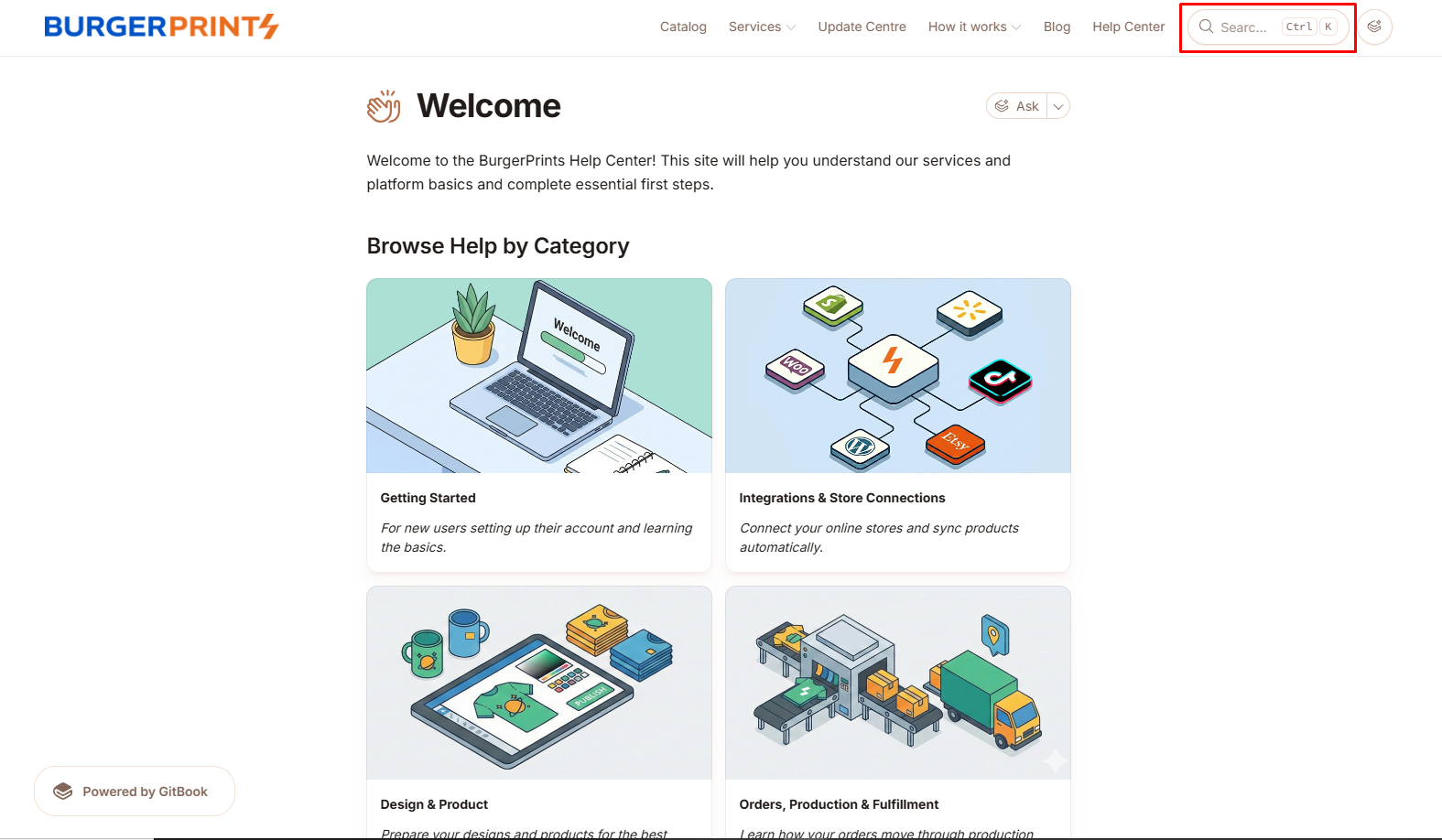
#### Step 1: Open the Help Center search
* Open the BurgerPrints Help Center:
* Click the search field at the top of the page.
#### Step 2: Search using BurgerPrints keywords
* Type **2–6 keywords** related to your task or issue.
{% hint style="warning" %}
**Tips:**
Search works best when you use the same terms shown in the **Dashboard** and **Help Center**.
Good keywords include:
* Feature names: **Orders**, **Products**, **Stores**, **Billing**, **Logs**
* Statuses: **Unpaid**, **Paid**, **Processed**, **Shipped**
* Common actions: connect, sync, top up, refund, tracking
{% endhint %}
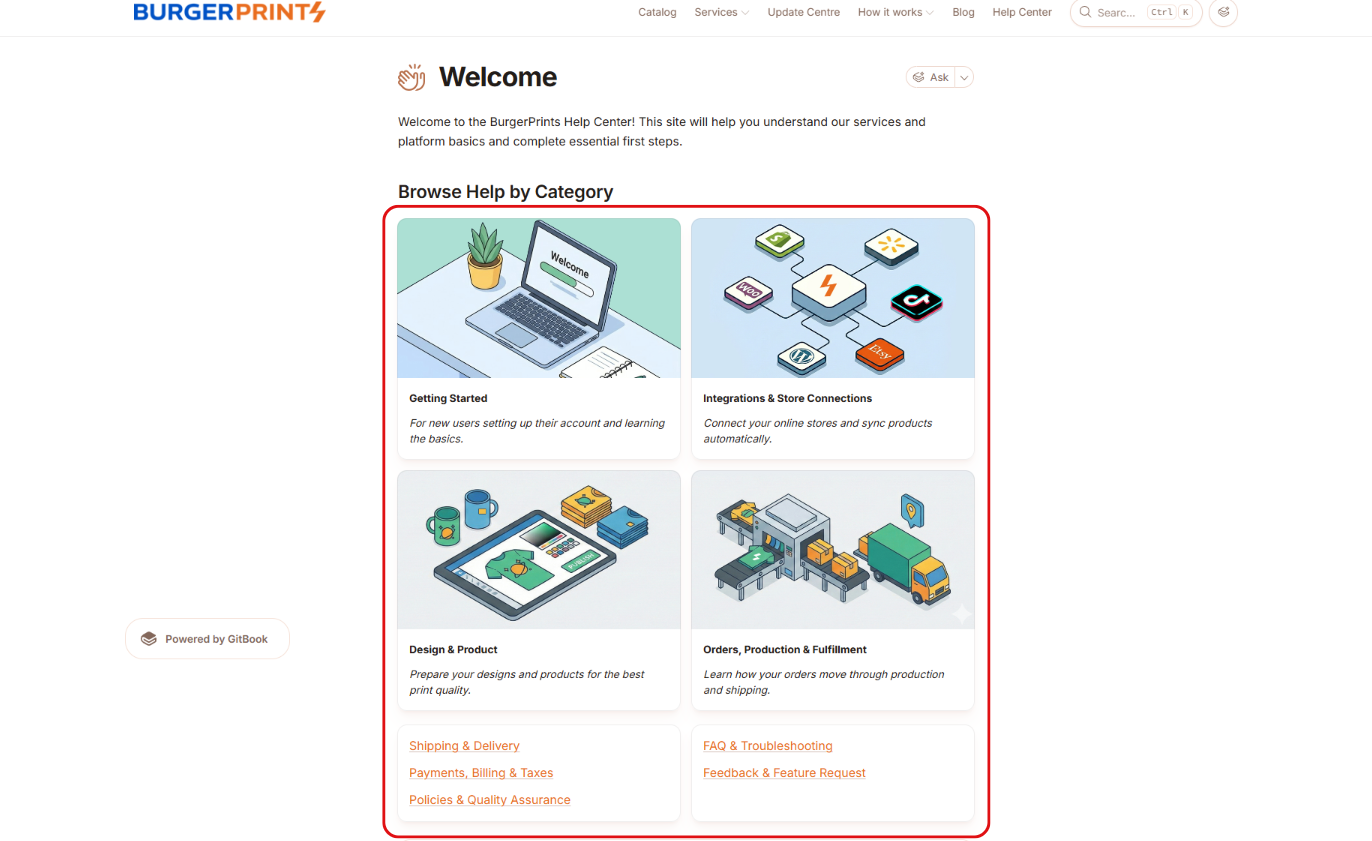
Terms used in the Dashboard
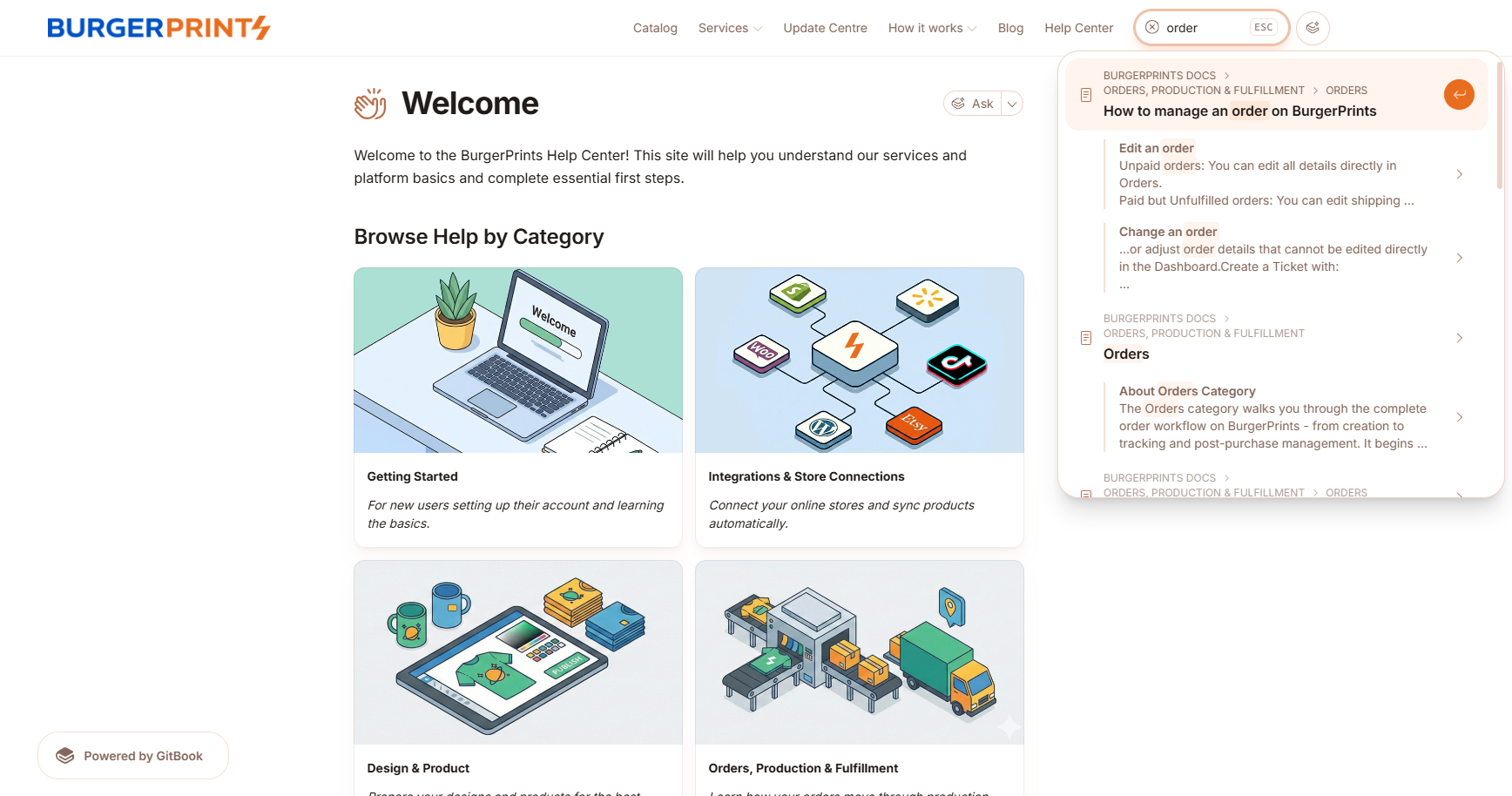
* Open the most relevant result.
* Scan the headings first.
* Confirm the screenshots and steps match your case.
Results that appear under the search section
{% hint style="success" %}
**Note:** Start with **Search** when you already know the product term, page name, or status name.
{% endhint %}
### How To Use ChatGPT Or Claude To Get An Answer Faster
#### Step 1: Open ChatGPT or Claude from the Help Center
* Open the BurgerPrints Help Center:
* Click the available **ChatGPT** or **Claude** option from the Help Center.
* This opens the AI tool that BurgerPrints currently links to.
#### Step 2: Ask your question in your preferred language
* Type your question in **ChatGPT** or **Claude**.
{% hint style="warning" %}
**Tips:**
To get a more accurate answer, include:
* Sales channel: Shopify, Etsy, TikTok Shop, WooCommerce, Walmart
* Where you worked: **Dashboard**, **Orders**, **Products**, **Stores**, **Billing**, **Logs**
* What happened: an error message, missing tracking, failed sync, payment issue
* What you expected to happen
{% endhint %}
* Ask the AI to explain the answer in short steps.
* Ask it to summarize the relevant Help Center article if needed.
{% hint style="warning" %}
**Tip:** The answer quality depends on your prompt. Include BurgerPrints terms, exact statuses, and the page or feature you are using.
{% endhint %}
Example response in English and French
Example response in Vietnamese
{% hint style="success" %}
**Note:** After you get an answer, go back to the matching Help Center article and follow the exact BurgerPrints steps there.
{% endhint %}
#### Step 3: Ask a follow-up question or contact support
If the answer is still unclear or incomplete, use one of these options:
* **Ask a follow-up question**
* Paste the exact error text.
* Tell **ChatGPT** or **Claude** where you are: **Orders**, **Products**, **Stores**, **Billing**, or **Logs**.
* Add 1 line: what you expected vs what happened.
* **Contact the** [**BurgerPrints Support team**](/getting-started/quickstart-and-support/how-to-contact-the-burgerprints-support-team.md)
* Use live chat or email.
* Attach screenshots.
* Include the Order ID if the issue is order-related.
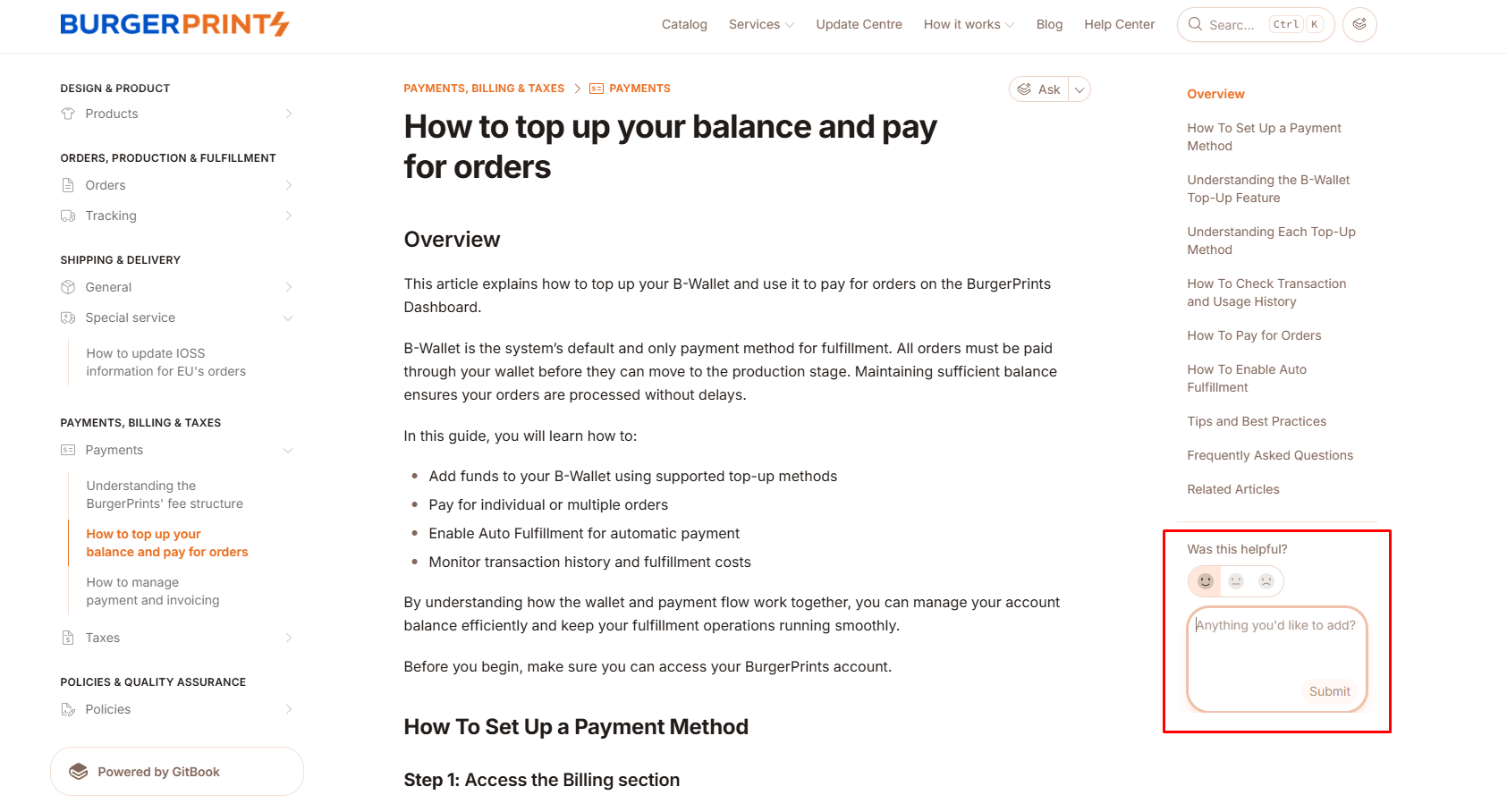
#### Leave feedback to improve our Help Center
We continuously improve the **BurgerPrints Help Center**.
If you have suggestions about this article or the Help Center, share them using the feedback section on the right.
Your feedback helps improve the Help Center for all BurgerPrints users.
### Tips And Best Practices
* Start with **Search** when you know the feature name or status.
* Use **ChatGPT** or **Claude** when you want a quick explanation before reading a full guide.
* Use **ChatGPT** or **Claude** when you want help rewriting your question.
* Use exact status names like **Unpaid** or **Processed**.
* Mention the fulfillment step you are in: payment, production stage, shipping & delivery.
* Open the matching Help Center article after the AI reply and follow the exact steps there.
* If you reference an order, include the **Order ID** when you contact **Support**.
{% hint style="success" %}
**Note:** **ChatGPT** and **Claude** help you understand documentation faster. They do not replace BurgerPrints support for account-specific checks.
{% endhint %}
### Frequently Asked Questions
1. **Do ChatGPT or Claude replace BurgerPrints Support?**\
No. They help you understand documentation faster. Contact the [**BurgerPrints Support team**](/getting-started/quickstart-and-support/how-to-contact-the-burgerprints-support-team.md) for account-specific issues, urgent cases, or exceptions.
2. **Why does the answer not match my exact case?**\
Your question may need more context. Add your sales channel, the Dashboard area, the exact status name, and the error text.
3. **Should I use Search or AI tools first?**\
Use **Search** for exact feature names and statuses. Use **ChatGPT** or **Claude** when your question is broader or you need help understanding the result.
4. **What should I do if I still cannot find the answer?**\
Contact the [**BurgerPrints Support team**](/getting-started/quickstart-and-support/how-to-contact-the-burgerprints-support-team.md). Include screenshots and the key details you already checked.
### Related Articles
* [Common questions / issues of new users](/getting-started/quickstart-and-support/common-questions-issues-of-new-users.md)
* [Understanding the BurgerPrints Dashboard](/getting-started/quickstart-and-support/understanding-the-burgerprints-dashboard.md)
* [Understanding the BurgerPrints fulfillment process](/getting-started/quickstart-and-support/understanding-the-burgerprints-fulfillment-process.md)
* [How to use the Logs feature for order tracking](/orders-production-and-fulfillment/tracking/how-to-use-the-logs-feature-for-order-tracking.md)
* [How to contact the BurgerPrints Support team](/getting-started/quickstart-and-support/how-to-contact-the-burgerprints-support-team.md)